

WordPress 7.0 has a new release date: May 20, 2026. The release squad pushed it back from April 9 after deciding the architectural work around real-time collaboration needed another pass. RC3 on May 8 is being treated as a new Beta 1 in practice. Stability and performance over shipping early, which is the right call.
The full schedule is on the Core blog. What matters more is what’s in the release. 7.0 is the biggest architectural shift since Gutenberg landed, and the AI Client in Core is only the most visible piece. Here’s what plugin and theme developers actually need to know before it ships.
The AI Client makes your OpenAI wrapper obsolete
If you’ve built AI features into a plugin, you know the pattern. OpenAI SDK via Composer, your own API key field in the plugin settings, wrappers for rate limits, retry logic, error handling. Second plugin, second API key field, double the maintenance. If you also wanted to support Anthropic or Google, that meant three dialogs, three SDKs, three update cycles.
7.0 replaces all of that with a provider-agnostic PHP API. The Core implementation builds on the wordpress/php-ai-client project Felix Arntz has been leading in the ecosystem for the past year. The entry point is a single function:
$text = wp_ai_client_prompt( 'Write a haiku about WordPress.' )
    ->generate_text();
Which model answers is up to the site owner in the new Connectors screen under Settings. Anthropic, Google, and OpenAI come through official flagship provider plugins. Community providers use the same infrastructure. No API keys end up in plugin code.
The builder covers five modalities: text, image, text-to-speech, speech, and video. Each has a generate_*() variant for raw output and a generate_*_result() variant for the full response with token usage, provider metadata, and model info.
$text = wp_ai_client_prompt( 'Summarize the benefits of caching.' )
    ->using_temperature( 0.7 )
    ->using_system_instruction( 'You are a WordPress developer.' )
    ->using_model_preference( 'claude-sonnet-4-6', 'gpt-5.4' )
    ->generate_text();
using_model_preference() is a preference, not a binding. If the preferred model isn’t configured, the client picks the next matching one. Plugins should always accept a reasonable fallback.
Feature detection runs locally, without an API call:
if ( $builder->is_supported_for_text_generation() ) {
    // show UI
}
Deterministic and free. No network traffic. The result depends only on which providers and models are configured on the site.
A REST endpoint in five lines
The most useful pattern in the dev note is almost a throwaway line. GenerativeAiResult is serializable and goes directly into rest_ensure_response(). A full AI endpoint looks like this:
function my_rest_callback( WP_REST_Request $request ) {
    $result = wp_ai_client_prompt( $request->get_param( 'prompt' ) )
        ->generate_text_result();
    return rest_ensure_response( $result );
}
WP_Error responses get a semantically correct HTTP status code automatically. For most AI features in plugin projects, this is the pattern you ship. It’s also the recommended workaround for the JavaScript API, which stays admin-only by default and isn’t recommended for distributed plugins.
Abilities API and MCP
The AI Client integrates with the Abilities API, which 7.0 also consolidates in Core. Your AI functions can be exposed as MCP tools and made available to external agents like Claude Desktop, Cursor, or other MCP clients. For agencies automating editorial or content workflows, this is the architecturally interesting point. Core provides the bridge, external agents bring the context, your plugins define the capabilities.
The abilities are declared and discoverable through a standard API. That’s what makes it a protocol instead of a hack.
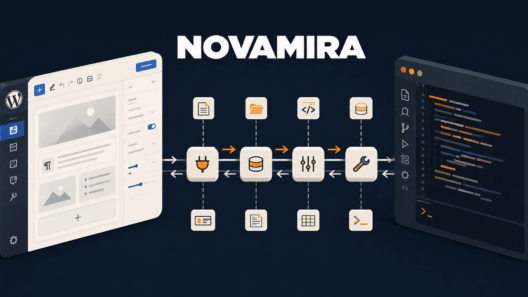
I wrote about Novamira earlier on UnleashWP. That takes the opposite approach: raw PHP access for AI agents via MCP, built for staging environments. The AI Client and the Connectors API are the production-safe counterpart to the same problem.
DataViews replaces WP_List_Table
For many agencies, the DataViews migration will matter more than the AI Client.
7.0 replaces the traditional WP_List_Table across posts, pages, users, and plugin list screens with a component-based interface built on @wordpress/components. Filtering, sorting, switchable grid and list layouts. If you’ve built custom admin pages that subclass WP_List_Table, those need review before the update. Backward compatibility is partial at best. The new default theme for 2026 ships alongside it.
If you maintain white-label dashboards, custom list views, or any admin-UI customization on top of WP_List_Table, this is the item I’d sort to the top of my review list.
Phase 3 collaboration changes what lives in WordPress
WordPress 7.0 is also the primary delivery vehicle for Gutenberg Phase 3. Three things ship that matter for content teams.
Fragment-level commenting. A reviewer can highlight a specific phrase inside a block and attach a comment to that exact selection, not just the whole block. Small feature, huge workflow change for editorial teams that currently bounce between WordPress and Google Docs for review rounds.
Experimental real-time co-editing. Two or more users editing the same page simultaneously. It requires WebSocket support from the host, which is exactly where it gets complicated (more on that below).
Visual revision comparisons. Side-by-side diffs of page versions. Long overdue for content-heavy sites.
Taken together, these reduce the dependency on Google Docs, Notion, and Trello for editorial review workflows. Client projects with shadow workflows on those tools become candidates for consolidation inside WordPress.
Hosting and PHP just got harder
PHP 7.2 and 7.3 are out. Minimum is now 7.4, and 8.3 is strongly recommended for anything touching AI features. Many current AI SDKs require PHP 8.x, and retaining lower minimums was blocking Core from adopting them.
More important for managed hosting: real-time co-editing requires WebSocket support. That’s not universal on shared hosting. Before recommending 7.0 with co-editing enabled for a client, verify the host actually supports it. “Compatible with WordPress 7.0” and “compatible with WordPress 7.0’s headline features” stop meaning the same thing here.
What’s still missing
No rate limiting, no cost capping in Core. The wp_ai_client_prevent_prompt filter blocks individual prompts, but it’s not a replacement for budget or quota logic. If you need to stop a plugin from burning through the provider key in production, you build that yourself.
API keys currently sit unencrypted in wp_options. Trac #64789 tracks the encryption work. Resolution order is: environment variable beats PHP constant beats DB value. Until #64789 lands, set keys via wp-config.php or the server environment.
The three flagship AI providers are cloud-only. Ollama, LM Studio, and other local runtimes come in through community plugins, if someone builds them. For GDPR-sensitive setups, that’s where you pay attention.
Migrating existing plugins
If you’ve been using wordpress/php-ai-client via Composer in your plugin: Core loads the library itself starting with 7.0. Loading it twice causes class redeclaration errors.
Two paths. The clean one: set Requires at least: 7.0, drop the Composer dependency, replace AI_Client::prompt() calls with wp_ai_client_prompt(). Done.
The conservative one for plugins that still need to support <7.0: a conditional autoloader before vendor/autoload.php.
if ( ! function_exists( 'wp_get_wp_version' ) || version_compare( wp_get_wp_version(), '7.0', '<' ) ) {
    require_once __DIR__ . '/vendor/autoload.php';
}
Composer’s autoloader loads all dependencies at once, so the check has to wrap the whole block. Alternatively, split AI dependencies into a separate Composer setup if the plugin needs to unconditionally load other packages.
The wordpress/wp-ai-client package (REST endpoints and JavaScript API) partially disables itself on 7.0+ and can stay loaded as-is. It will likely be discontinued in favor of a Gutenberg integration, so it’s not a path to build on long-term.
What’s coming after 7.0
WordPress is back on three major releases per year. 7.1 is tentatively scheduled for August 19, 2026, focused on media workflow improvements and more granular user permissions. 7.2 is expected in early December, continuing Phase 3 collaboration and laying groundwork for native multilingual support. Features that weren’t ready for 7.0, including advanced connector filtering, will slide to 7.1 rather than ship unfinished. That discipline, which was missing in some earlier cycles, is the most encouraging signal from 7.0.
What I’m doing before release
Going through my own client work this week, every plugin that touches AI is on the migration list. The ones with their own API key field move first, because that’s the change users notice most: the field disappears from the plugin and moves to the Connectors screen. Lower maintenance surface, cleaner support conversations.
The breaking one to check next: custom admin pages and list views. Anything subclassing WP_List_Table needs verification against DataViews. Test in a 7.0 staging environment before scheduling the production update.
After that: test using_model_preference() with at least two providers. Model behavior diverges in ways that only show up in production, especially with structured JSON outputs where not every provider is equally reliable.
Before client projects go live on 7.0: set API keys via environment variable or PHP constant, not through the Connectors screen. As long as Trac #64789 is open, the DB path is the weaker option. And if real-time co-editing is on the feature list for a client, verify the host’s WebSocket story before committing to a launch date.
The AI Client dev note with all the builder methods is on the Core blog. So is the full release schedule through May 20.