


I work with WordPress every day, mostly on real client projects that have been running for years. Many of these projects use Classic Themes, not because we are stuck in the past, but because they are stable, predictable, and fit well into existing workflows. Editors know them, clients trust them, and agencies can maintain them without surprises.
There was always one weak spot though, and anyone who has worked on Classic Theme projects for a longer time knows it very well. Fonts were never handled properly by WordPress itself.
Fonts were always someone else’s problem
In Classic Theme projects, font handling usually lived inside the theme. Sometimes it was clean, sometimes it was not, but it was almost always custom. Over time, fonts ended up spread across theme files, options panels, custom CSS, or additional plugins. At the beginning, this was acceptable. Later, it became annoying.
The real pain started when things changed. A new corporate font, a redesign, performance improvements, or a developer handover often turned fonts into detective work. You had to search through files and hope that nothing important was missed. Fonts felt like a detail, but they behaved like core infrastructure.
This is exactly where WordPress was missing something.
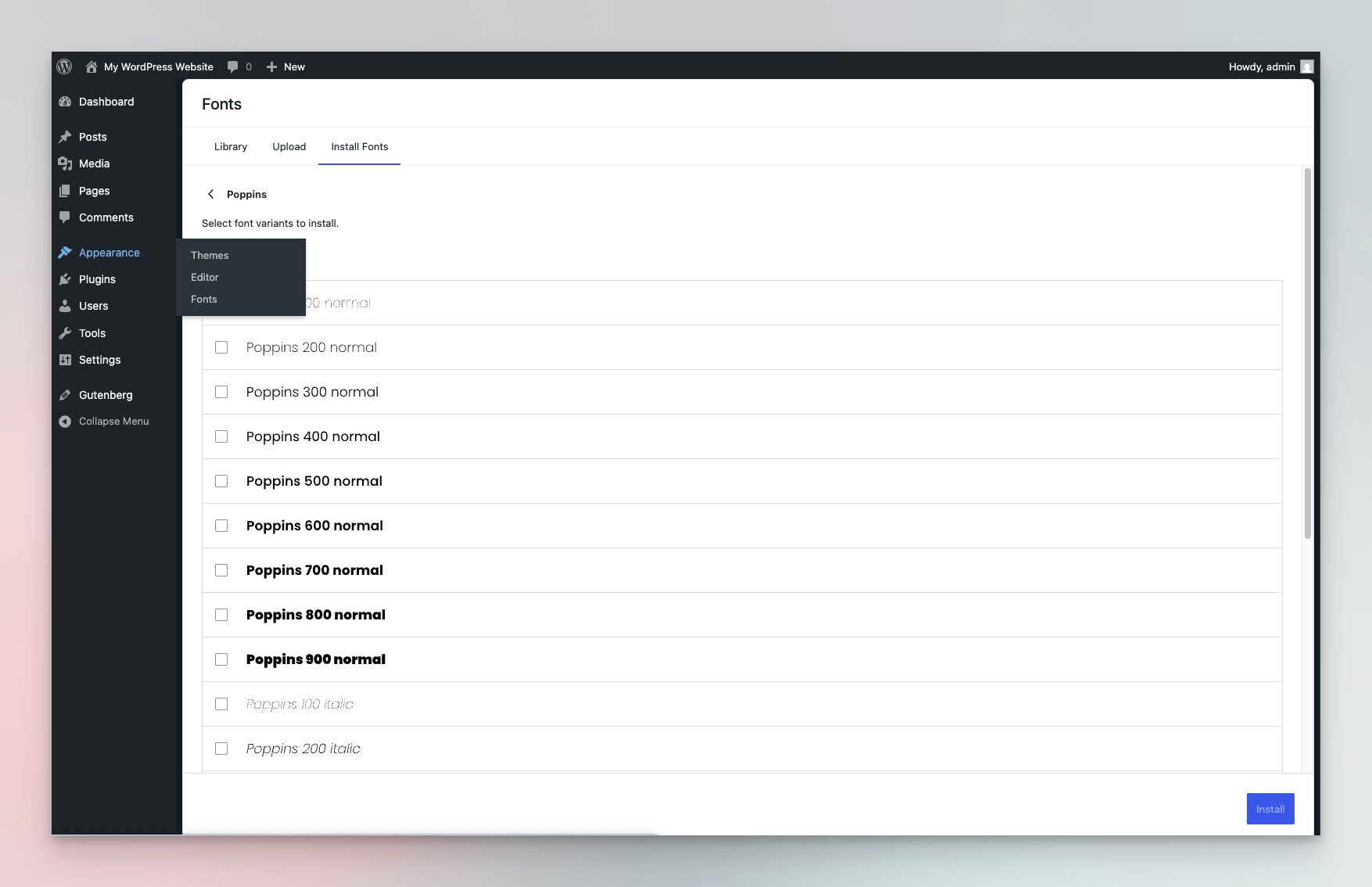
The Font Manager is not new, but it was limited
The Font Manager itself already exists. It was introduced with WordPress 6.5, but only for Block Themes. If you did not use a Block Theme, the feature was technically there, but practically useless. For many developers and agencies, this meant ignoring it completely.
With WordPress 7.0,this limitation is expected to be removed. The Font Manager becomes available for Classic Themes as well. Fonts can be managed centrally in the admin under Appearance → Fonts, outside of the editor and independent of the theme type.
At the time of writing, this functionality is still under active development. While the goal is to make the Font Manager available for Classic Themes, the settings are currently only visible and functional in Block Themes. Classic Themes do not yet expose the font management UI, even though the underlying work is already in progress.
What actually changes with WordPress 7.0
The important part is not the UI. It is the responsibility shift.
With WordPress 7.0, fonts are no longer treated as a theme detail. They become a system-level resource. Fonts are stored locally, registered in one place, and loaded by WordPress itself. Themes do not need to care about how fonts are defined or where they come from. They simply use what is already available.
Classic Themes stay exactly what they are. No migration, no editor switch, no rebuild. But font handling becomes cleaner, clearer, and much easier to manage.
Why this matters in everyday agency work
This is not a feature that looks impressive in a demo. Its value shows up over time.
Font changes become straightforward. Projects are easier to understand. New developers joining a project do not have to dig through theme files to figure out how fonts are loaded. Long-running projects benefit the most, because one recurring problem is finally handled in a consistent way.
For agencies managing many WordPress sites, this saves time again and again.
Theme & Plugin developers benefit as well
Another important aspect is extensibility. The Font Manager provides filters that allow plugin developers to integrate directly with it. Plugins no longer need to build their own font systems or ship custom loaders. They can rely on a shared core infrastructure.
This reduces duplicated logic, avoids conflicts, and improves compatibility between themes and plugins. Fonts stop being a special case and become part of a common technical base.
Local fonts become the normal setup
Serving fonts locally has long been best practice for performance and privacy reasons. With a system-level Font Manager, this setup becomes much easier to apply consistently. Fonts are handled locally by default, without extra work or special theme logic.
This does not magically solve every legal question, but it removes a lot of unnecessary technical complexity.
Final thoughts
WordPress 7.0 does not push developers toward Block Themes. Instead, it strengthens Classic Theme projects by fixing a long-standing structural issue. Making the Font Manager available for Classic Themes is not a flashy change, but it is a very meaningful one.
For developers who care about maintainability and long-term project health, this is one of those improvements that quietly makes WordPress better. Not because it looks new, but because it finally solves something that should have been solved years ago.