

WordPress 7.1 ships August 19. The roadmap is a feature list with one quiet caveat at the top: everything is “being pursued,” nothing is promised. For you it comes down to a simpler question per feature: can I build on it today, or am I still waiting. I went through the current trunk (Gutenberg 23.4.0, the alpha line) and sorted the parts that matter to developers by exactly that. Where there’s something you’d actually write, it’s here.
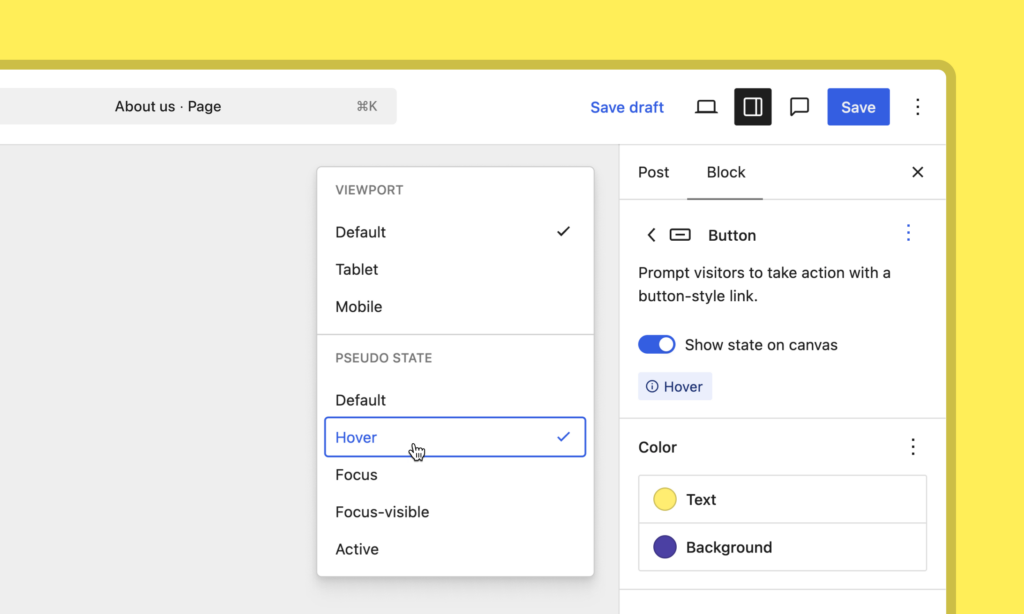
Style states and breakpoints, set in the editor
The shift for theme and agency work: hover, focus, and active states, plus responsive styles by breakpoint, move out of Additional CSS and into Global Styles and per-block settings. The hover rule you used to paste into Additional CSS, the one that vanished on the next theme switch, now lives where it belongs. A client can change a button’s hover color or a heading’s mobile size without opening a ticket with you.
If you set defaults in theme.json, the state nests under the element, and a responsive variant nests under a breakpoint key:
// hover on a button's link element
styles.blocks['core/button'].elements.link[':hover']

// the same, scoped to tablet
styles.blocks['core/button'].tablet.elements.link[':hover']
Two limits to know before you plan around them. You get two breakpoints, mobile (≤480px) and tablet (≤782px); making them theme-configurable is a separate 7.1 item still in progress. And pseudo-states are allowlisted to the button and link elements for now, not arbitrary blocks, so check that before you promise hover styling on a custom block.
For your own blocks, you can expose a class-based state in block.json and have it styled like a pseudo-state:
"selectors": {
    "states": {
       "@current": ".current-menu-item"
    }
}
That’s the path for cases like styling the current menu item, though the full version is filed under post-7.1.
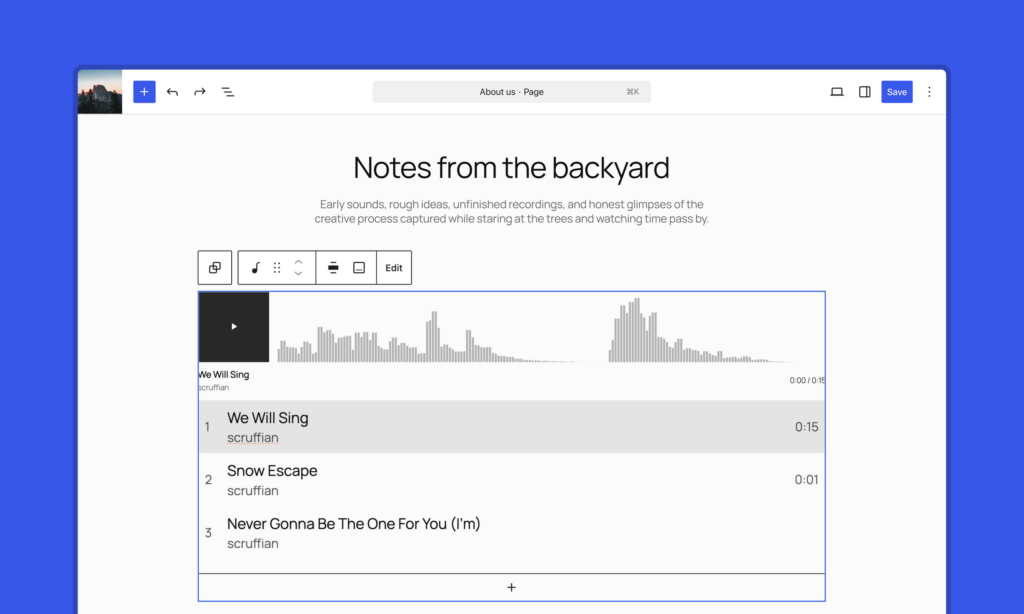
The new blocks: usable, but check the flag
Tabs, Table of Contents, and Playlist all exist in trunk. The fact that decides whether you can use them: Tabs and Table of Contents both carry "__experimental": true, so they aren’t registered in a normal install. They appear only with the experiment on. Don’t tell a client Tabs ships in 7.1 until that flag comes off, and don’t build a launch feature on it now that you’d have to tear back out if it misses the cut.
If you do build against them, Tabs is a nested structure, core/tabs wrapping core/tab-list and core/tab-panels, and its front end runs on the Interactivity API, so there’s no jQuery and no view script to enqueue. Table of Contents gives you headings, maxLevel, ordered, and onlyIncludeCurrentPage to work with.
Background gradients on your own blocks
Small and fully landed. If your block has a background image control, one line in block.json adds gradient support, and gradients and images stop conflicting:
"supports": {
  "background": { "backgroundImage": true, "gradient": true }
}
The gradient serializes server-side and works in global defaults too. No CSS from you, and the gradient-over-image hack you’ve been maintaining for that effect comes out.
Build on it: yes.
Marking an image decorative
The accessibility toggle sets one attribute, isDecorative, on core/image. Flipped on, the image is hidden from screen readers instead of carrying a filler alt. The thing to know if you template or migrate image content: that’s the attribute to read and set. If you run accessibility passes for clients, it’s one fix you stop doing by hand.
Icon API: not ready for plugins yet
This is where the roadmap reads ahead of the code. It names register_icon() and unregister_icon() as if you can ship a branded icon set from a plugin. In trunk you can’t yet, because the public entry point isn’t there. What has landed is the naming rule those functions will enforce: a namespace is required (my-plugin/my-icon), lowercase only. The shape is settled, the door isn’t open. If your product roadmap has a 7.1 feature that registers icons from a plugin, it isn’t landing on that timeline. Plan around it.
HTML block with editable inner blocks: not there
The roadmap pitches editable blocks inside a Custom HTML block, useful for AI-generated markup. It isn’t merged; the core/html block is unchanged. Treat it as proposed. If a pitch of yours leaned on editing AI-generated HTML in place, it isn’t a 7.1 thing.
Real-time collaboration: the biggest wait on the list
The vision is no post-lock screen and several people, plus AI, editing one document live. After the push before 7.0 it keeps moving, but for planning it sits further back than anything else here, and the roadmap is honest about why. Two foundational questions are still open: what even lands in 7.1, the full feature or just the architecture underneath it, and which storage mechanism backs it, where there’s a frontrunner that hasn’t been picked. Both need sign-off from project leadership, and that call decides who gets access to the feature at all.
Read that against 7.0, where RTC was the headline and got pulled before launch. Same posture for 7.1. Don’t put a date in front of a client for live co-editing.
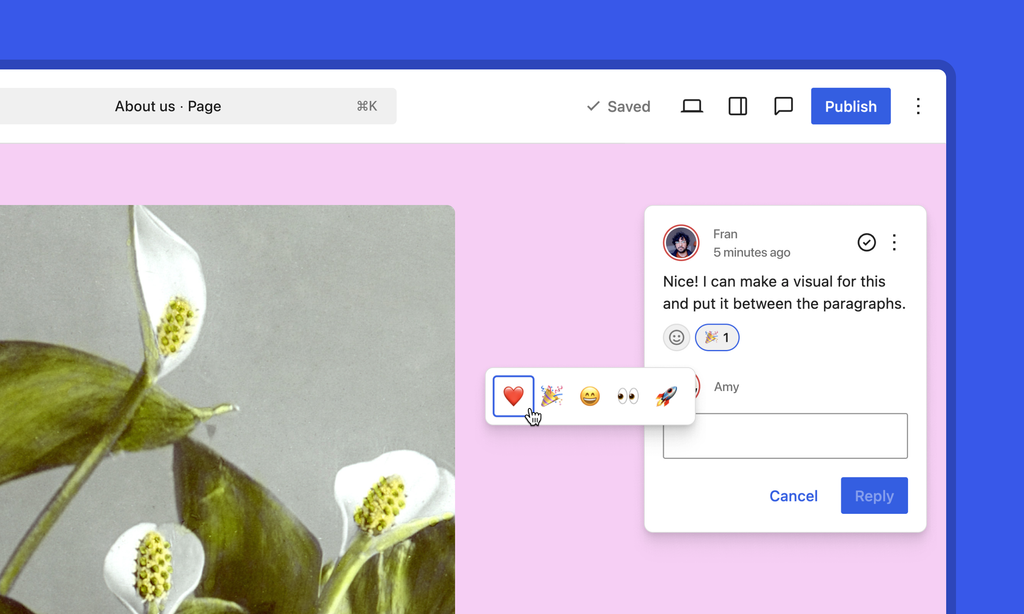
The collaboration work you can count on this cycle is Notes: replies, emoji reactions, and an “apply suggestions” flow that lets an assistant act on a note inside the thread. That’s usable async review and far less likely to slip. If you want to shape where RTC lands, there’s a dedicated 7.1 testing effort to plug into.
The two things that can break what you already ship
These aren’t features. They’re the items that break existing code on release day if you ignore them. They hit you if you ship custom blocks or have React in an admin screen. If you only assemble sites from core blocks on a block theme, you can move on.
The editor will enforce iframing for block themes this cycle. A block has to be on Block API version 3 to render inside the iframe.
Today a single v2 block drops the editor back to non-iframed mode, and for block themes that escape hatch closes.
If you ship v2 blocks, they stop working there. Move them to v3 and test against the latest Gutenberg now. There’s a migration guide.
React 19 is the other one. WordPress moves from 18 to 19, into the Gutenberg plugin first and Core later, with new APIs, large TypeScript type changes, and changed behaviors. If you have React in custom blocks or admin screens, the type changes alone surface at build time. Turn on the React 19 experiment, run your code, and file what breaks while upstream can still fix it.
AI surfaces to build on
For plugin work, two surfaces are the ones to learn. The Abilities API gives a structured way to expose what a site can do, and this cycle adds querying and filtering plus a curated set of core abilities. The AI Client adds embeddings and generation streaming. Embeddings is the one I’d build for: vector search over a site’s own content through a core API rather than a third-party add-on. That’s a feature you can sell without wiring up a paid search service, once it moves past the initial effort the roadmap admits it’s still in.
What to do this week
Two things can break your code and are testable today, so they come first: get your blocks onto Block API v3, and run everything against the React 19 experiment. Build on style states, breakpoints, and background gradients now, because they’re in trunk. Hold off on the new blocks until they leave experimental, and on the Icon functions and the HTML block change until they land at all. Real-time collaboration isn’t something to plan around yet; for collaboration you can ship, the Notes features are the safe bet.
One honest caveat: I read trunk on a single day in the alpha, and alpha moves. Verify before you schedule against it. 7.1 is due August 19.
Source: WordPress Core Blog